
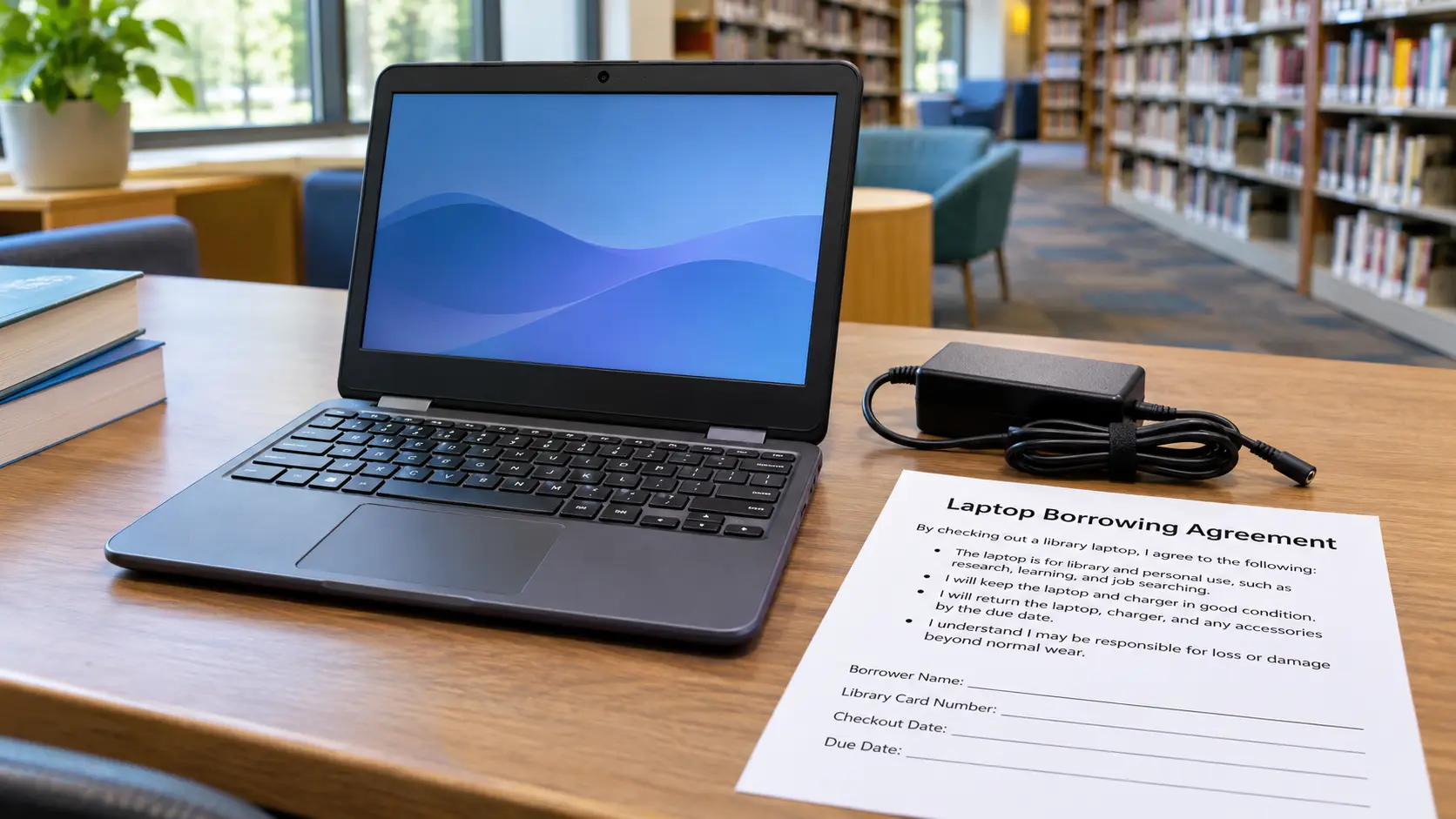
What Is a Library Laptop Lending Program?
A laptop lending program provides temporary use of library-owned equipment. You might borrow a Chromebook for weeks, use a laptop on-site for two hours, or check out a Wi-Fi hotspot for a device you own.
The American Library Association's Community Connect guidance describes library-developed lending policies. Borrowers should rely on the rules of the particular library system, not a national assumption. For example, San Diego Public Library's SD Access 4 All program lists take-home Chromebook kits with a 30-day borrowing period. By contrast, Palm Beach County Library System says its two-hour laptop loans must remain inside the library.
Chromebooks focus on web-based tools, so check whether your course or job requires Windows or Mac software. Published policies do not guarantee branch inventory.
Who Can Borrow a Laptop From a Public Library?
Many programs require a library card in good standing, but age, residency, and identification rules differ. Not every card type qualifies for technology loans.
Consider three published examples:
- Cobb County, Georgia: Take-home Chromebook borrowers must be at least 18, have a library card, complete a user agreement, and show photo identification at checkout. See the county lending policy.
- San Diego, California: A valid library card is required, and a parent or guardian must complete the Chromebook agreement for a borrower under 18. See SD Access 4 All.
- Palm Beach County, Florida: Its in-library laptop program is available to adult-card holders ages 16 and older who sign the required agreement. See the laptop FAQ.
Some systems restrict borrowers by residency, card type, or branch. SNAP or Medicaid does not automatically qualify anyone for a laptop loan.
How to Find a Library That Lends Laptops
Visit your library system’s official website. Search for “laptop lending,” “Chromebook checkout,” “technology lending,” or “Library of Things.” Check current policies rather than old announcements.
For examples of how different policies look, visit these official pages:
- Cobb County Public Library, Georgia: three-week take-home Chromebooks and separate two-hour in-library Chromebooks.
- San Diego Public Library, California: 30-day Chromebook kits, with no renewals listed under its current policy.
- Rockford Public Library, Illinois: take-home Chromebooks with either seven-day or 90-day loan periods, depending on the device available.
- Palm Beach County Library System, Florida: two-hour laptops for use inside the building only.
These are published policies, not live inventory. Elsewhere, use your library directory or the federal Library Search & Compare to find systems, then check their individual lending pages.
Before visiting, ask: “Do you have a Chromebook I can take home, or are your laptops for in-library use only?” Confirm stock, reservations, card type, and ID. For alternatives, see laptop help near you.
Loan Periods, Deposits, Fines and Device Restrictions
Loan periods can range from hours to months. Cobb County lists three weeks without renewal for take-home Chromebooks. San Diego lists 30 days without renewal. Rockford offers seven-day and 90-day Chromebook loans, subject to which devices are available. These timelines are specific to those systems, not general library rules.
Read fee policies carefully, including whether a refundable deposit is required. Do not assume a deposit or fee at one library applies everywhere. San Diego says borrowing its Chromebook kits is free, but missing equipment or accessories can lead to charges. Rockford publishes a $5-per-day overdue fee, and its overdue devices may be remotely disabled. San Bruno Public Library's policy, revised September 2026, allows conditional renewals on three-week take-home Chromebooks and explains replacement costs for lost equipment. Never assume that “free to borrow” means no liability for loss or damage.
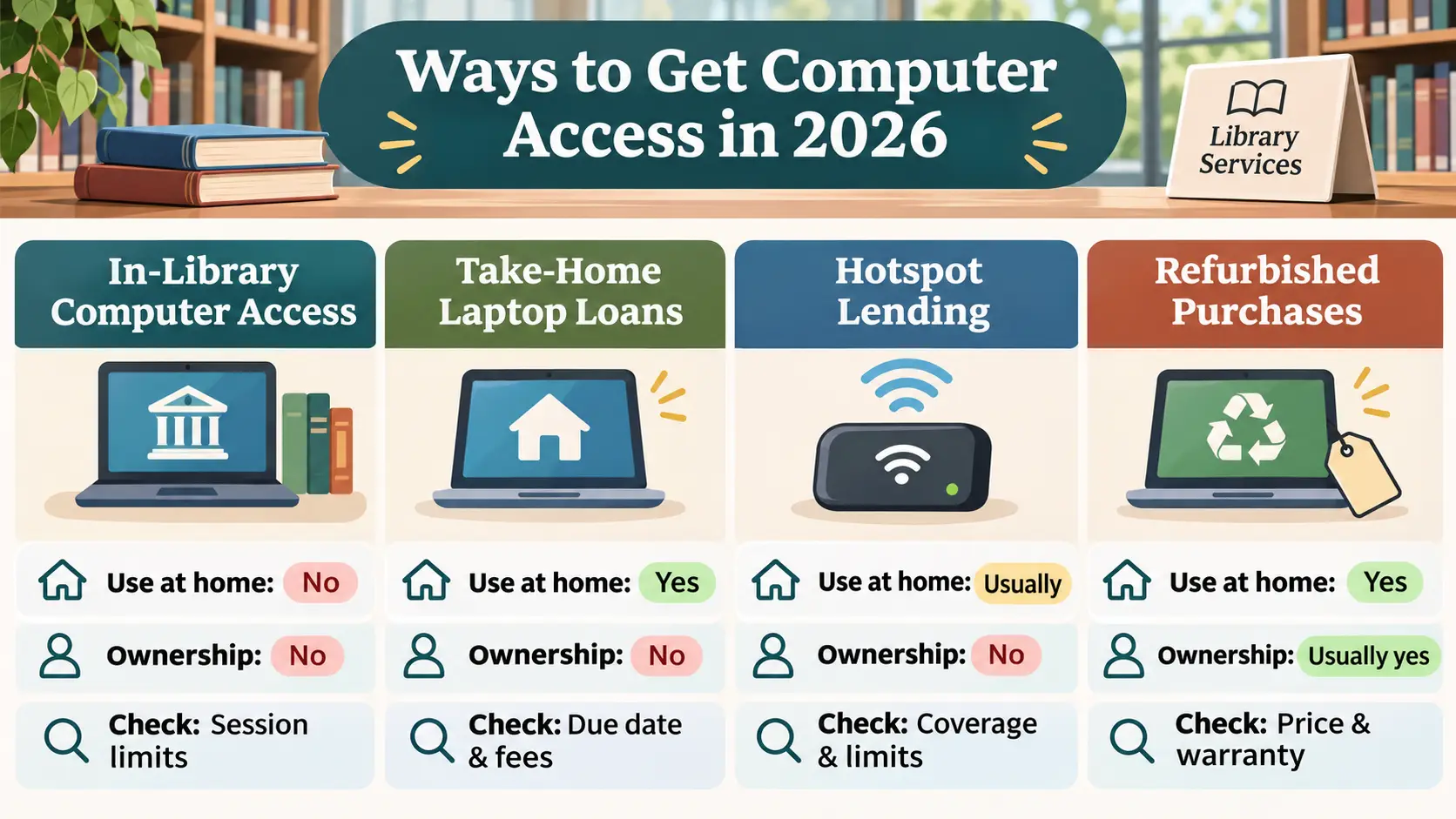
| Option | Can you use it at home? | Do you own it? | What to verify |
|---|---|---|---|
| In-library computer or laptop | No, unless a separate take-home program exists | No, shared access | Session limits, login, printing, file storage |
| Take-home laptop or Chromebook | Yes, if the policy specifically allows it | No, borrowed device | Card rules, due date, renewals, accessories, fees |
| Wi-Fi hotspot loan | Usually, if offered for home use | No, borrowed connectivity device | Coverage, data limits, return date; a hotspot is not a laptop |
| Discounted refurbished purchase | Yes | Usually yes, after a completed purchase | Total price, condition, warranty, returns |
Return instructions matter. Cobb County requires Chromebook returns directly to staff, not in book drops. Confirm the exact branch, opening hours, and whether every charger, case, or cable must be returned. Also ask whether you can install software, use a microphone or camera, and save files. Palm Beach County, for example, deletes files left on its laptops after each session.
Laptop Borrowing vs. Owning a Refurbished Computer
Borrowing helps with a short course, temporary equipment problem, or job search. But a loan can expire mid-project, and library settings may block installations.
A refurbished laptop is a used device prepared for resale that you own after purchase. Compare price, shipping, warranty, returns, battery, and operating system.
If you need unrestricted access for months rather than a short loan, review low-income laptop programs and refurbished computer providers. A discounted purchase is not a free-to-keep donation. Likewise, a library loan is never a transfer of ownership merely because checkout costs nothing.
If you are currently enrolled at a community college or university, compare college laptop loan programs as well. Campus libraries and IT desks sometimes lend equipment for an entire semester, but enrollment requirements, software restrictions and return dates differ from public library policies.
Parents of younger students should also check school Chromebook loan programs first. District-issued devices can be available for coursework under a parent agreement, but school ownership, grade rules, damage fees and summer returns are separate from public library borrowing.
Software, Privacy and Internet Access
A library loaner is a managed device, not a substitute for your personal computer in every situation. Before borrowing, check whether the laptop runs ChromeOS, Windows, or another operating system and whether you can install the software your class or employer requires. Online proctoring tools, certain video-call platforms, and specialized applications may not run on a restricted Chromebook. Ask about webcams, microphones, USB ports, accessibility settings, printing, and permitted extensions before you depend on the device.
Ask the librarian how the system handles saved files and signed-in accounts. If you use an email account, school portal, benefits website, or banking service, sign out of every account, remove your downloads where permitted, and follow the library's instructions for returning or resetting the device. Avoid saving passwords in a shared browser. Palm Beach County explicitly says its in-library laptop data is deleted after each session, but another library's policy may differ. Do not assume automatic deletion everywhere.
Internet access may be a separate issue. A Chromebook usually needs Wi-Fi to complete many tasks. A borrowed hotspot supplies connectivity but not a laptop, and cellular coverage can vary by location. Confirm whether your checkout includes internet service, a hotspot, neither, or on-site Wi-Fi only. If you have a fixed exam or interview date, test the necessary software and connection while staff can still help.
Five Things to Confirm Before You Travel
- Exact branch: Ask which branch lends take-home devices and whether you must return to the same location.
- Borrower requirements: Confirm card status, residency, minimum age, photo ID, and any parent or guardian agreement.
- Inventory: Ask about same-day availability, reservation or hold rules, and whether there is a waiting list.
- Agreement: Get the current due date, renewal policy, late or replacement charges, and device-access restrictions in writing.
- Use case: Verify home checkout, required software, available internet, accessibility needs, and a safe place to save files.
When no take-home kit is available, ask for an in-library computer session or another participating branch. If a device is needed for a class or job application, use our local laptop help directory to compare other realistic pathways. It is a guide to finding organizations, not an inventory or application portal.
Questions to Ask Before Checking Out a Device
Before signing, confirm home use, due date, renewals, late fees, and remote locking. Check the charger and case for damage with staff. Ask about Wi-Fi, software, and removing personal accounts.
Worked example: checking an actual policy before borrowing (hypothetical reader). Suppose an adult in Cobb County needs a Chromebook for an online class. They open the county's official take-home technology page and verify four things: a library card and photo ID are required; the loan lasts three weeks; renewals are not allowed; and the Chromebook must be handed to library staff, not dropped in a return slot. Next, they call a branch to ask whether a Chromebook is available and check its hours. At checkout, they read the agreement and record the exact due date printed on their receipt. This is a process example, not a claim that a particular branch has a device in stock.
If another program asks for documents or an online form, first use our laptop application checklist to verify the provider and share information only through its official process. Never send a library account password, EBT PIN, or banking credentials to a third-party “free laptop” website.
Frequently Asked Questions
Can I get a free laptop from a public library?
Some libraries let eligible cardholders borrow laptops at no checkout cost. That usually means free to use temporarily, not free to keep. Confirm the policy and possible late, loss, or damage charges.
Can I take a library laptop home?
Only if the library explicitly offers take-home loans. Cobb County and San Diego publish take-home Chromebook policies; Palm Beach County's laptop loans are for in-library use only.
Do I need a library card?
Most of the take-home programs discussed here require one. Some libraries provide guest access to on-site computers without a regular borrowing card. Ask about both services separately.
Can children or teenagers borrow laptops?
It depends on the system. Cobb County requires borrowers to be 18 or older for its Chromebook loans, while San Diego allows minors with a parent or guardian completing the agreement.
What if I return the laptop late or damage it?
The library may charge fees, bill for damaged accessories, suspend privileges, or remotely disable a device. Read the actual agreement and contact the library promptly if the device is lost or damaged.
Does a borrowed laptop come with internet service?
Not necessarily. A Chromebook may need Wi-Fi, while a separately borrowed hotspot may provide connectivity within its coverage area. Ask whether internet access is included before relying on the device for home use.
Bottom line: Start with your own library's current policy, not a general promise of free laptops. Verify take-home permission, eligibility, inventory, due date, software compatibility, and financial responsibility before checkout.
Editorial verification: Individual public-library policies linked here were reviewed November 5, 2026. Availability, hours, lending limits, and charges can change; the library system, not this website, makes lending decisions. Browse our free laptop programs overview for other access routes.
Official library policies and sources checked on November 5, 2026
- American Library Association, Community Connect lending-policy guidance: https://www.ala.org/tools/programming/communityconnect/fostering/FAQs
- Cobb County Public Library, take-home technology: https://www.cobbcounty.gov/library/library-services/libraries-take-home-technology
- San Diego Public Library, SD Access 4 All: https://www.sandiego.gov/public-library/san-diego-access-4-all
- Rockford Public Library, Borrow a Chromebook: https://www.rockfordpubliclibrary.org/check-it-out/find-something-new/borrow-a-chromebook/
- Palm Beach County Library System, laptop FAQ: https://www.pbclibrary.org/faq/lending-laptops/
- San Bruno Public Library, Technology policy (revised September 2026): https://www.sanbruno.ca.gov/2370/Technology
- Institute of Museum and Library Services, Library Search & Compare: https://www.imls.gov/search-compare